The model is only the first problem
Here is everything you need to know about taking a policy from sim / testing to a real deployment in an actual warehouse.
The model is the start
You trained a model, collected data through a teleop setup, or set up a sim and got a policy network working. But now you want it running a shift in someone else's warehouse. This blog will tell you everything you'll likely run into.
This summer and fall, we took robots out of our lab and into active freight warehouses. Everyone always asks about the model, since it's expensive to train and requires a world-class team to execute. But when it comes to deployment, that's only the first thing we had to solve, and it wasn't even the part where most of our time went.
This post walks through four other problems, in the order our scanner robot and forklift retrofits met them: parts and freight, building and flashing, connectivity and health, and data. We don't see these as operational chores to throw human or financial capital at, but core technology problems we've tackled from first principles. For each, we show what broke, what good looks like, what we're building, and where we honestly stand today. At some level, this post is both a mission statement and a request for new startups.
1. We move freight. First we had to receive it.
Before a robot can do anything, we have to source every part in it, track where each one went, and get the machines themselves to the site. At sub-scale, every one of those steps is hard.
What you'll hit
- Freight shipping is broken, and sub-scale makes it worse. As a freight operator, we knew this going in, but it's always worse than you think. A forklift-class machine cost $2,480 to ship LTL versus $4,500 for a full truck. One of our forwarders released a machine only 48 hours after payment cleared, delaying us by a week, and even then the driver showed up before the supplier opened.
- Picking a sensor picks your computer. Most automotive-grade sensors are supported only on specific carrier boards, so a camera choice locks in a compute board and vice versa. Vendor lead times start when payment clears, and duty and fees can move the price after you commit.
- Small orders don't get priority. Robot bases, AMRs, and batteries arrive on unpredictable schedules. At our volumes, we're not first in line.
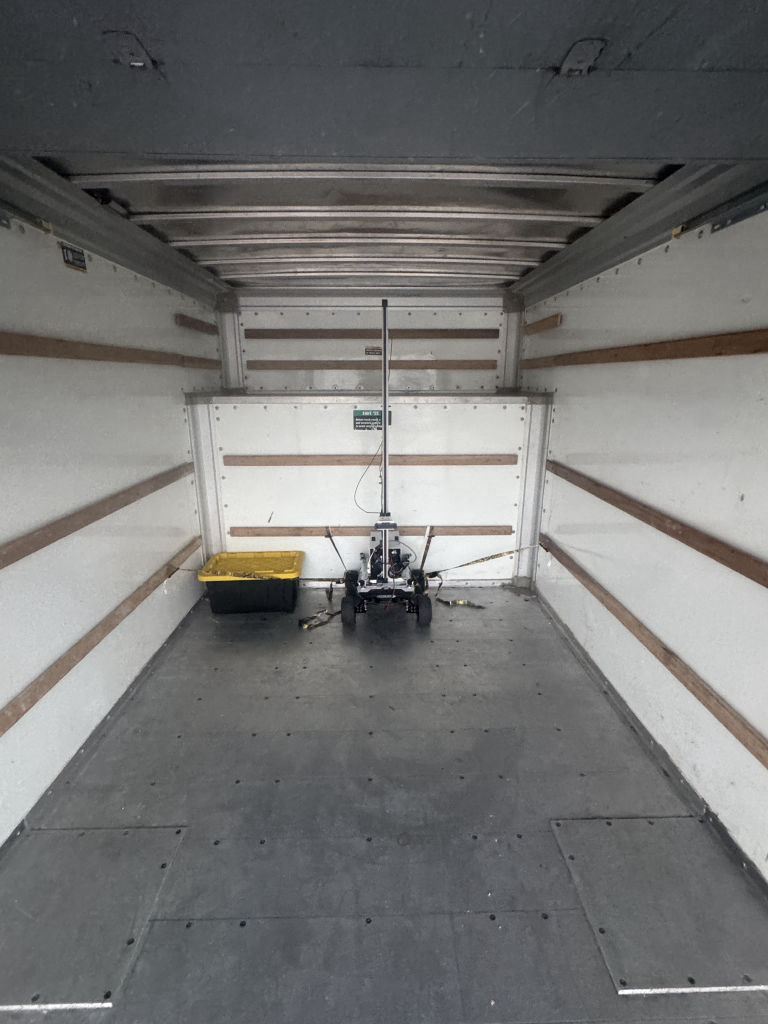
- Then the robots themselves become freight. For our first on-site test, we drove a robot to the site in a rental truck. The hotel had nowhere to charge it, so the team got to the site early to charge before work could start. Moving robots across town meant booking a truck and handing the driver a bill of lading.
Why it's a technology problem
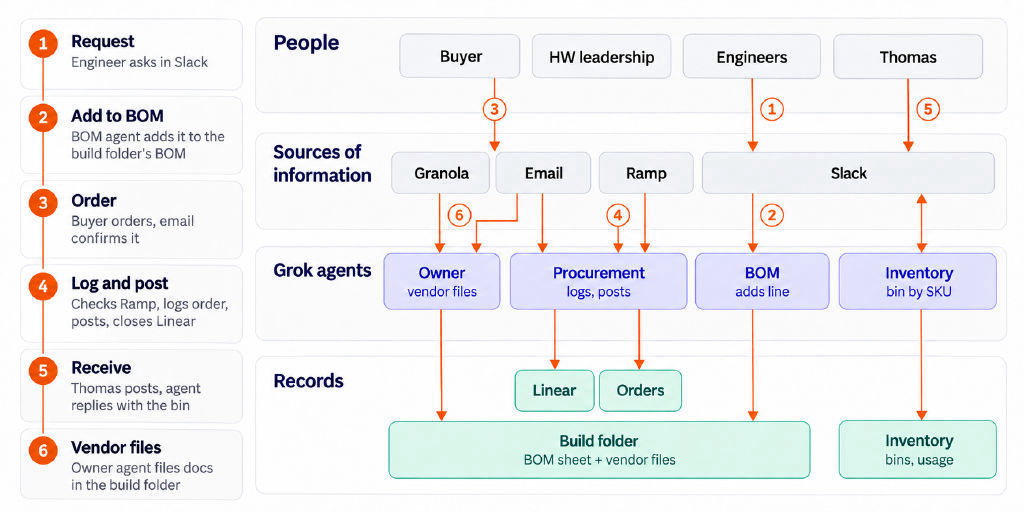
The only way to keep track of everything is to track every robot build and every part instance automatically, from orders to installation, without creating a manual data-entry process. Only an agentic system that can parse information from images can keep the system current without slowing builds down.
How we run it
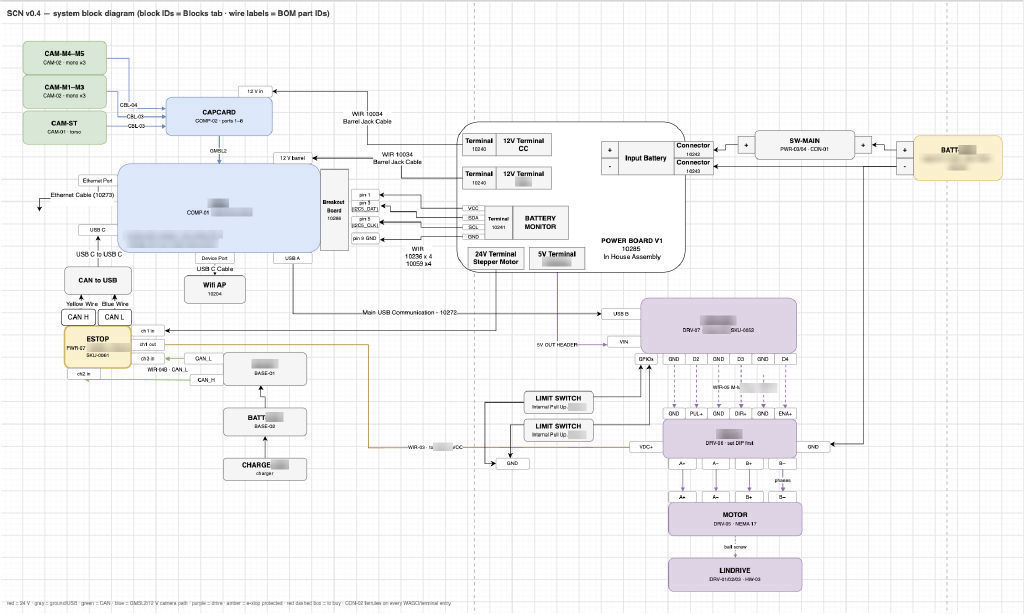
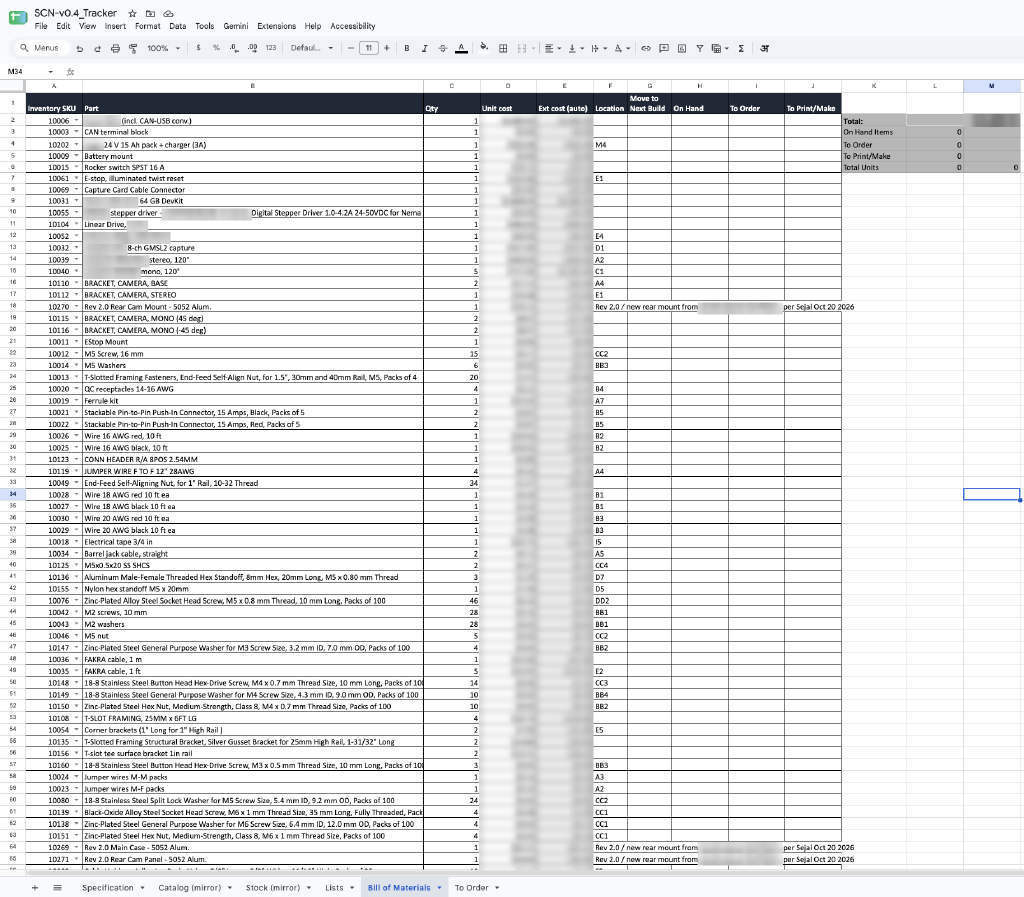
- Order from the build plan. Each robot build has a bill of materials tied to five-digit SKUs, so the parts for the next build are ordered before we start building.
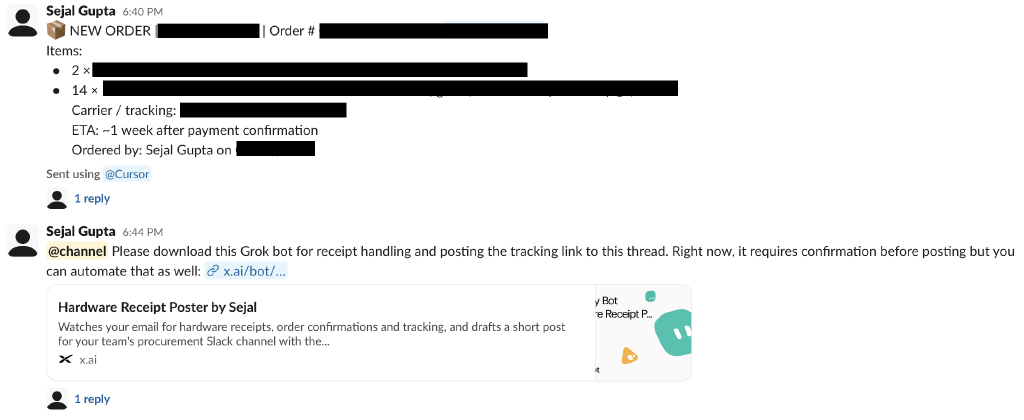
- Track procurement at the source. Order confirmations, receipts, and shipping notices from email are matched to the order and the SKU, and a Slack integration posts each receipt as it lands.
- Log every part's life. Every part pulled from a bin is posted with the bin, the build, and the robot unit. Scraps carry a one-line reason, and returns go to a return bin rather than straight back on the shelf.
- One agentic system on top. Next, an agent reads the build plan and the inventory, drafts the orders, and keeps the tracking current, so one person can run procurement for the whole fleet.
Where we are
The system works, and it's already straining. In October, our COO started on the next iteration of it, covering full artifact tracing, auto-haggling, and the agent that drafts orders.
2. Works on my robot
A fleet only counts as a fleet if every unit runs the same software, behaves the same way, and stays that way after it ships. That's hard when the hardware keeps changing under you.
What you'll hit
- Prototype connectors are unstable. In early builds, cables and connectors are the weakest parts of the robot: robot bases drop off the CAN bus due to unstable USB-C cables, or microcontrollers restart under vibration. At the prototype stage, you can't wait for production-grade harnesses. The only way to get reliability is to auto-recover everything in software.
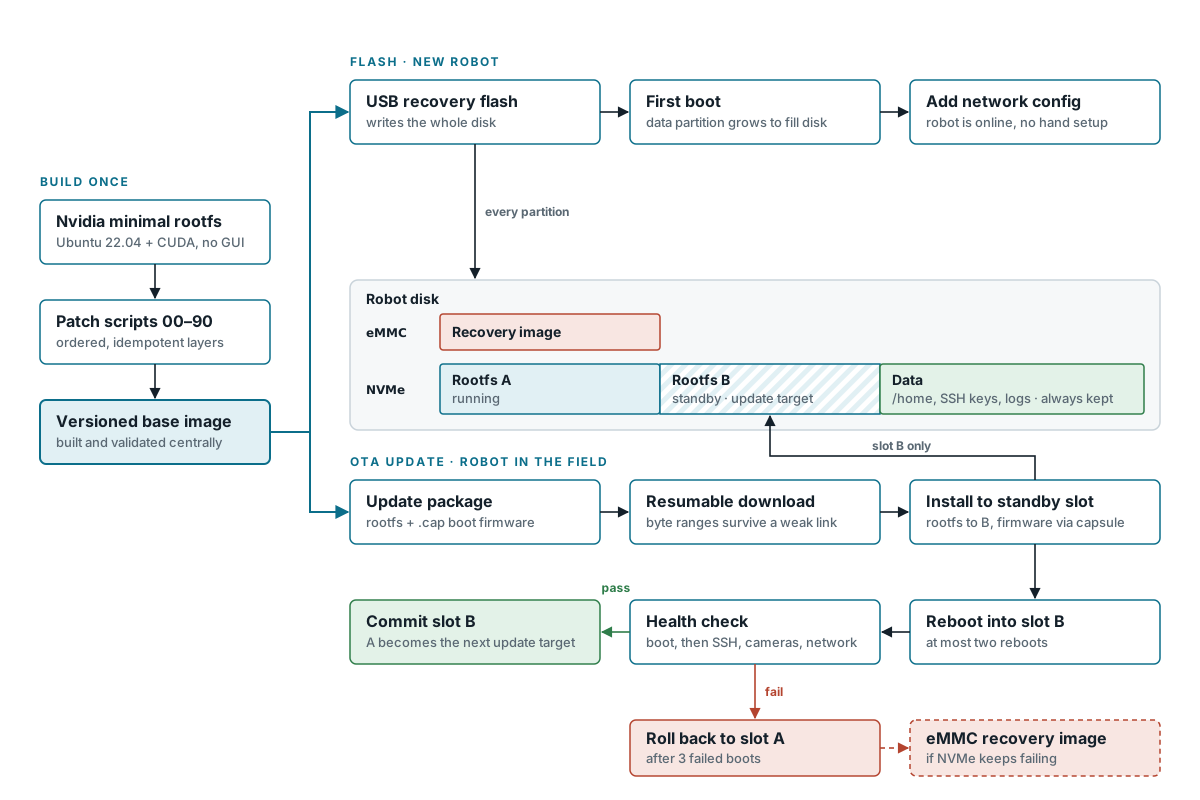
- Every robot has several units to flash. An onboard computer (NVIDIA Jetson Orin), microcontrollers, and motor drivers each need the right firmware. Our first images were flashed by hand, with CUDA and TensorRT overridden by hand, and versions drifted between robots. Building one reliable flashing system is hard enough. Flashing every piece of hardware in the right order makes everything even more challenging.
- High-bandwidth cameras are hard to bring up. USB and Ethernet cameras are close to plug and play, but our production-grade robots use GMSL cameras to get the bandwidth we need and use the Orin's deep-learning accelerators (DLAs) and hardware video encoders directly. The deserializer board, vendor driver, carrier board, and device tree must all line up before a single frame arrives.
- Different hardware builds, one massive configuration problem. To keep costs low and work around the supply chain, we run more than one build: different cameras, carrier boards, and bases. Each combination needs its own configuration of drivers, device tree, and kernel patches, which is a complex configuration-management problem.
- Calibration drifts. Cameras sit on a stand, and the stand wears, takes knocks, and shears under load, so camera calibration drifts over time. Jerky motion once shook our camera mast enough that a 2 m command moved the robot 1.7 m while visual odometry reported 1.9 m. Wheel odometry has its own drift: driven past a 5 m mark, it read 4.85 m.
Why it's a technology problem
If two robots differ in ways you can't see, every bug report is a guess about which robot, which build, which version, and which calibration. Making hardware repeatable means coding the builds and connectors themselves, the same way you code the software. That's part of fabrication, not a step after it.
What good looks like
- Builds and connectors as code. Every build's hardware layout, connectors, drivers, device tree, and kernel patches are defined in one place and generated for each form factor.
- One click flashes the whole robot. Onboard compute, microcontrollers, and drivers should have a one-click flash that's repeatable and reproducible while supporting dynamic configuration.
- Robot CRM. Each robot's build, software version, configuration, and calibration live as records, so you can query exactly what any robot is running.
- Full OTA from a single managed configuration. Updates install to an inactive partition, reboot in a quiet window, and roll back automatically if boot fails. Each robot has one clean configuration managed remotely.
- Calibration is checked, not assumed. Drift is caught online, before it shows up as a bad run. Alerting informs ops to do recalibration runs, but should eventually move to online calibration.
Where we are
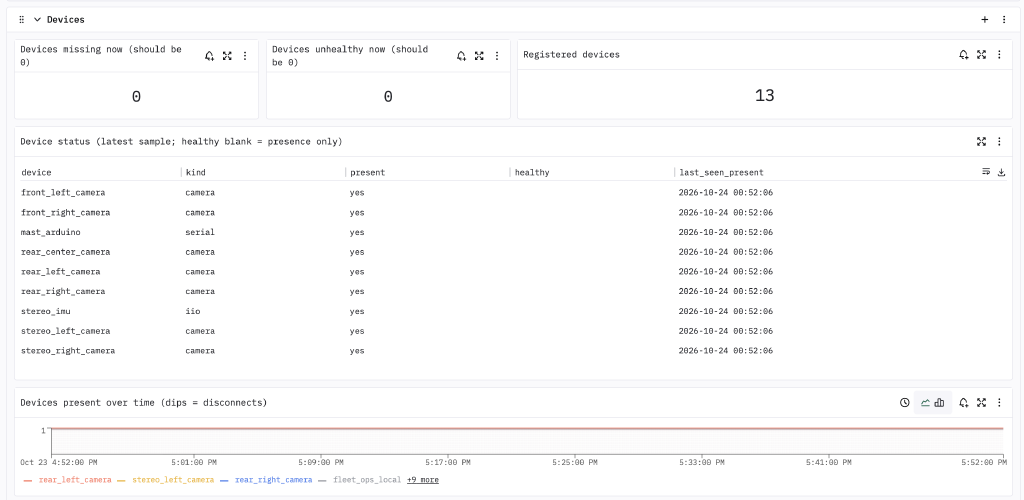
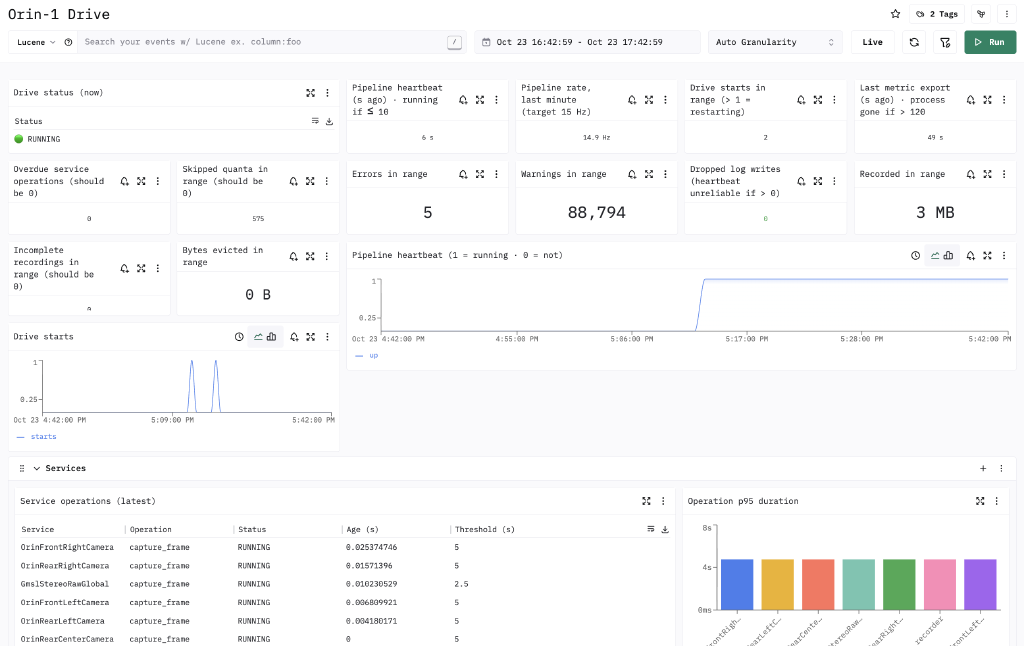
Our dashboard and drive program already detect every connected component at boot, so a loose cable shows up before a run, not during one. Our flashing and install project is moving us to single-click flashes for all units in a robot. We're moving to full OTA with clean, single managed configuration instances, managed remotely, starting from a vanilla JetPack image with A/B updates. Online calibration checking is being built.
3. Robots roam, networks don't
A moving robot crosses coverage boundaries all day on a network someone else built for laptops and handheld scanners. Connectivity came up more than any other problem in our on-site threads.
What you'll hit
- Mesh Wi-Fi drops you. At our first partner site, the robot kept falling off the warehouse mesh. Part of the fix was disabling Wi-Fi power saving on the robot.
- Dead zones. Remote access worked until the robot reached one corner of the building, then returned when it left.
- The radio itself dies. Twice, the robot's Wi-Fi driver crashed and saw nothing on the radio until we reloaded it. We had to build redundant wireless connectivity to push robots to production.
Why it's a technology problem
The network will fail, so the robot has to own the outcome: keep doing safe things on its last known state, hold when it must, reconnect on its own, and never depend on a single link. On site, a heavy robot that misbehaves can hurt something. During one test, we took the paint off a wall due to latency in teleop.
What good looks like
- A coverage map of the floor, made by the robots as they drive, and several links at once (site Wi-Fi, our own access point, and 5G), with failover.
- A drive program that runs without internet from its last known configuration and survives reconnects.
- Automatic recovery for the boring issues, like remounting a disk or reloading a crashed Wi-Fi driver. An agent that watches the fleet and flags when a robot has stopped making progress, before a person notices.
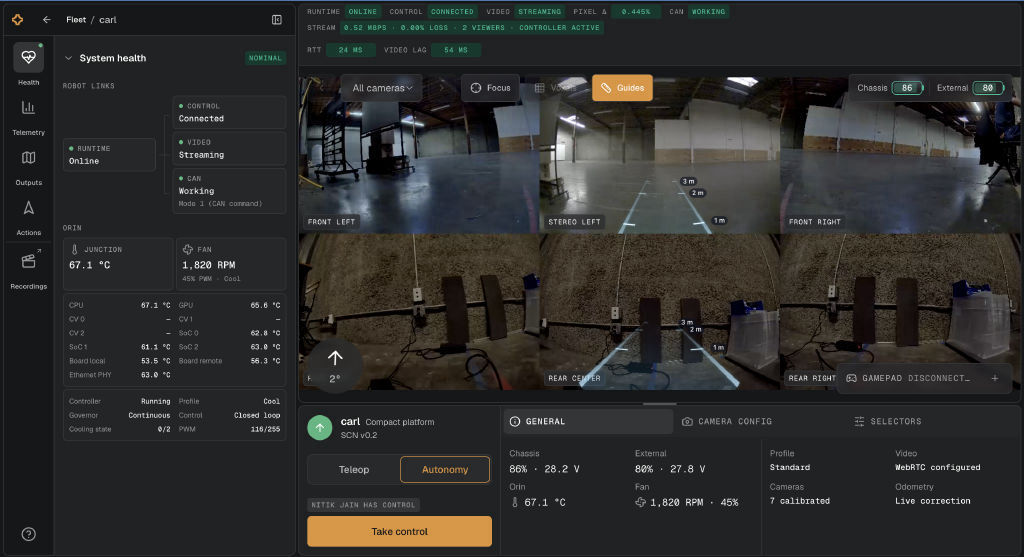
- One health view per robot: charge state and battery health, disk, links, device heartbeats, recorder, and uploader status, drawn as pipelines so a failure upstream is visible downstream.
Where we are
We've added redundant connectivity and are building online monitoring processes that use VLMs to monitor progress and connectivity of all robots remotely, with proactive alerts when issues arise or robots reach the edge of connectivity.
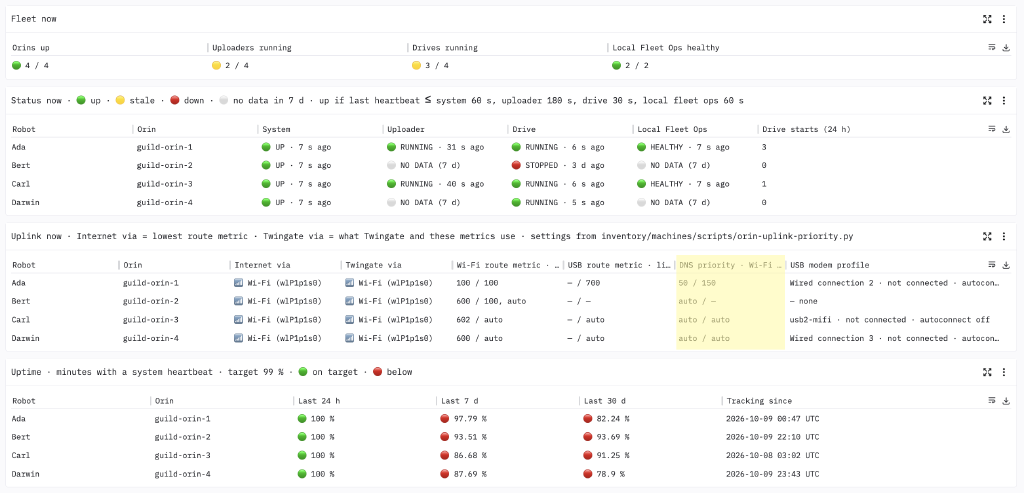
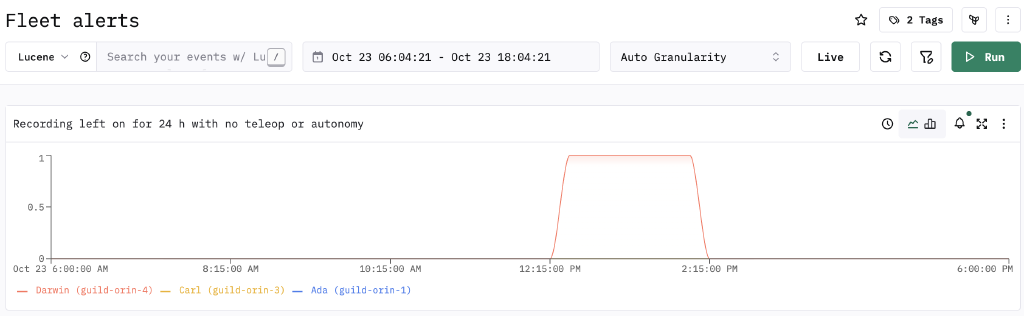
We have per-robot system dashboards and alerting, and a clear monitoring team owns every alert, so a failure reaches a named person. We add telemetry each time something new breaks. Automatic recovery for the boring failures isn't built yet, and the progress-watching agent is what we're building next.
4. Fifty minutes of data, ten hours to upload
Deployment data is what makes the models better, and getting it off the robot is its own engineering problem.
What you'll hit
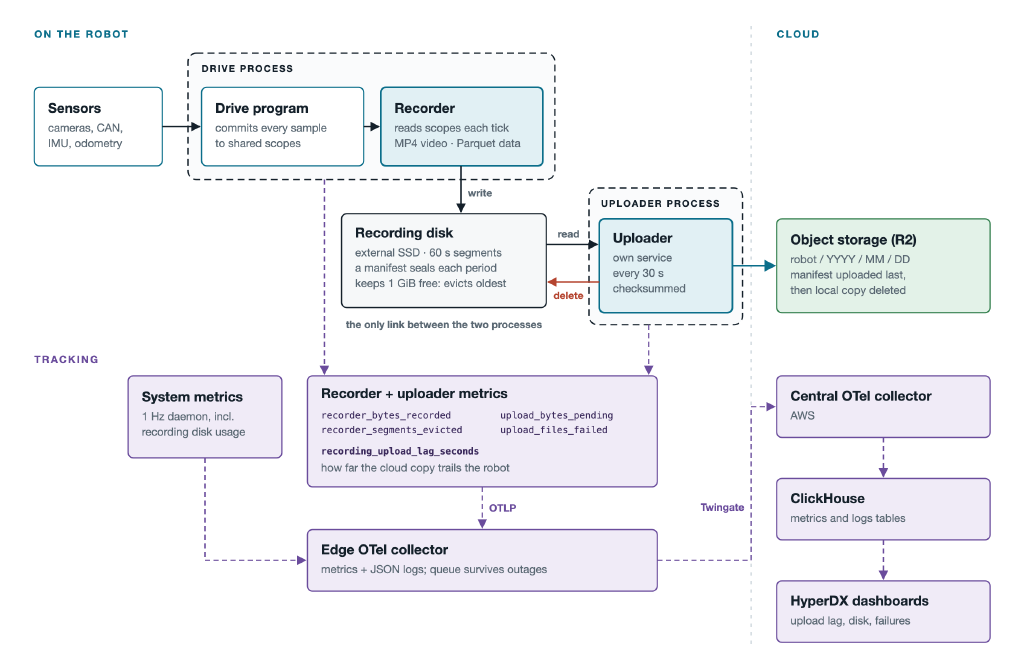
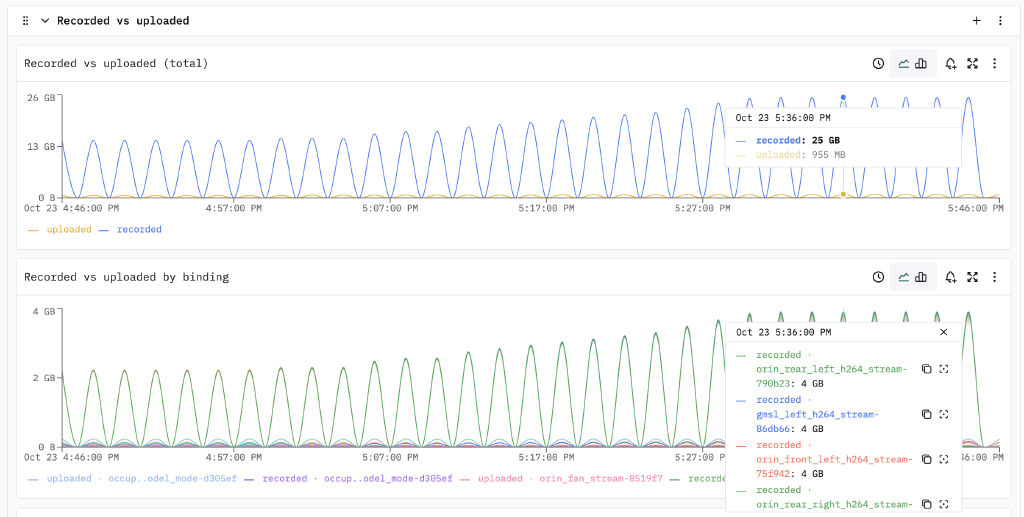
- The pipe is smaller than the firehose. On our first site visit, about 50 minutes of driving produced around 47 GB. Even over a good 10 Mbps uplink, those 50 minutes take about 10.4 hours to upload: the robot generates data roughly 12 times faster than it can send it.
- One bad file blocks everything. Our uploader checked every recording before sending any. One corrupted manifest failed the whole check, so each pass ended in half a second with nothing uploaded.
- Data stays on the robot. More than once, data was still on the robot the next morning because it was powered off or the upload had failed. We copied it to a laptop by hand.
Why it's a technology problem
You can't push everything over site Wi-Fi as it happens, and the robot is the worst place to keep it. The answer is a redundant upload stack: robots offload to disks on site over the fast local network, hot data stays there for replay and debugging, and a slower, reliable transfer moves it to the cloud over whichever connection has the most upload bandwidth. The pipeline also has to tolerate partial and failed recordings, because on a real robot some always will be.
What good looks like
- Robot to on-site disk in minutes, over the local network, so a robot can be powered off without losing a run.
- Hot data kept on site for fast replay, with the most valuable minutes sent to the cloud first.
- Cloud transfer that is slow but certain, over the best uplink available, resuming after any interruption.
Where we are
Our redundant upload stack is running: robots offload to on-site disks, and research works from that data before it ever reaches the cloud or our data centers. At our current partner warehouse, we get about 10 Mbps to the cloud, but the dedicated upload locations we're building will go higher. Incomplete segments are marked with a reason and accepted by the uploader. Prioritizing which minutes go to the cloud first is next, and a clear generated-versus-uploaded view per robot is still a request, not a feature.